

OpenAI’s GPT family has changed how we write, learn, code, and work. With the release of GPT-5 in August 2025, the bar for what a general-purpose AI can do has moved again. If you run a study site, manage a classroom, or lead a small business, you need to understand what GPT-5 brings to the table — and how it differs from GPT-4 and earlier models.
(Official announcement and technical overview: OpenAI’s GPT-5 release.) OpenAIReuters
Table of Contents
Quick TL;DR
- Release: GPT-5 launched in August 2025 and is available in ChatGPT and via API. OpenAIReuters
- Big wins: Native multimodality (text, images, audio, video), built-in “thinking” / chain-of-thought, a context window now measured in hundreds of thousands to a million tokens, and persistent memory. Cinco DíasWIRED
- Practical impact: Better at long-form editing (books, theses), debugging whole codebases, multimodal content creation (transcripts → video), and acting as an autonomous assistant. OpenAITechCrunch
1. Short history — How we got to GPT-5
| Version | Year | Notable change |
|---|---|---|
| GPT-1 | 2018 | Transformer proofs |
| GPT-2 | 2019 | Large-scale text generation |
| GPT-3 | 2020 | 175B parameters — human-like text |
| GPT-3.5 | 2022 | Instruction tuning & better safety |
| GPT-4 | 2023 | Multimodal text + images; better reasoning |
| GPT-4.5 / o-series | 2024 | Optimized speed & cost, improved reasoning |
| GPT-5 | 2025 | Native multimodality (text/audio/video), huge context, built-in thinking |
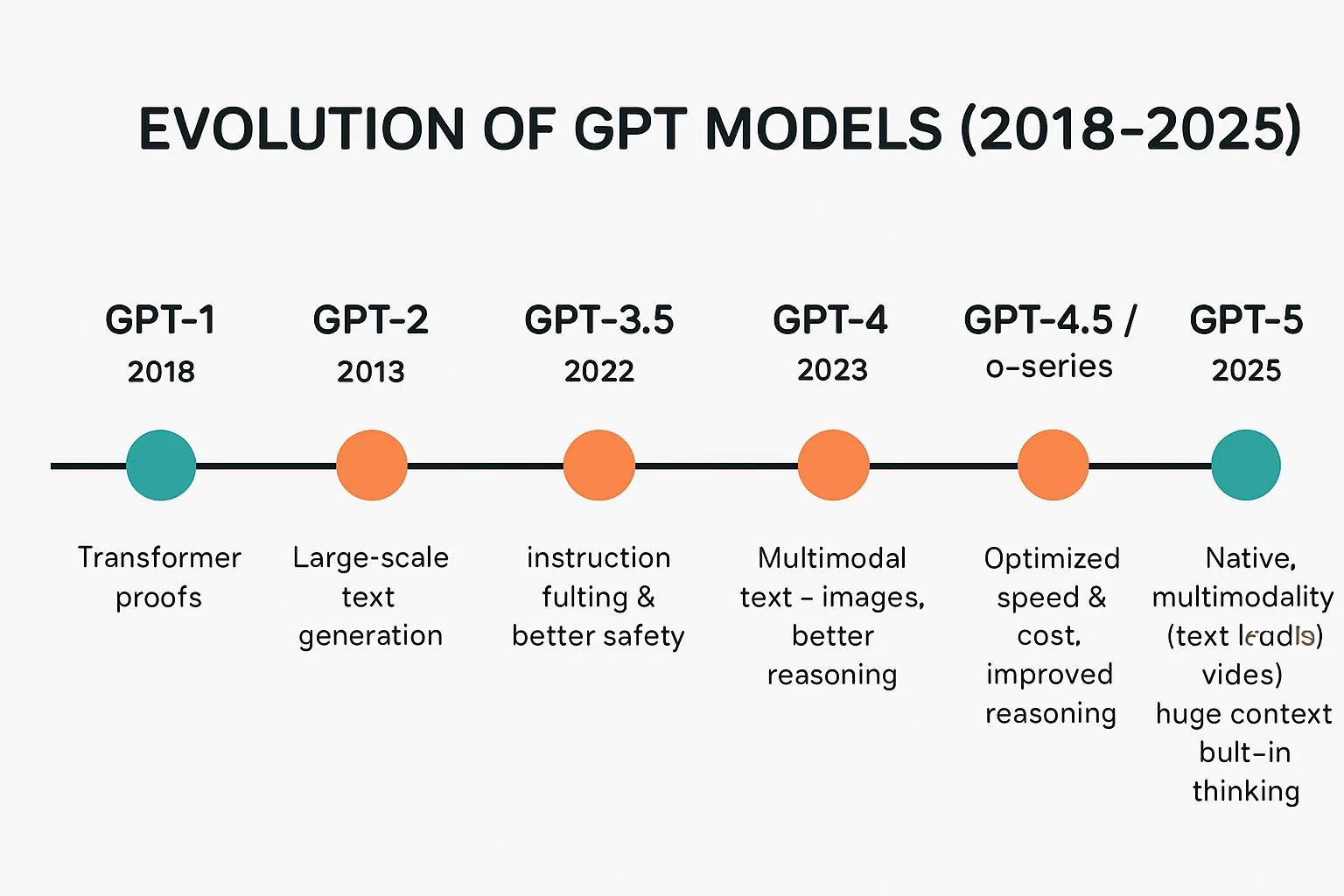
Figure 1 — Timeline: Evolution of GPT models (2018 → 2025).
2. Headline differences (table)
| Category | GPT-4 & earlier | GPT-5 |
|---|---|---|
| Modality | Text + Images (limited) | Text, Images, Audio, Video (native) |
| Context window | ~32K — 128K tokens | 256K — 1,000K (1M) tokens reported |
| Reasoning | High (manual prompting helps) | Built-in chain-of-thought; “thinking” mode |
| Memory | Short session memory | Persistent cross-session memory |
| Actionability | Plugins or external tooling | Native task execution (schedule, send, compile) |
| Cost/Speed options | One main model + variants | Nano / Mini / Thinking modes for cost/speed tradeoffs |
3. Deep dive — What each major upgrade means
Multimodality: from attachments to native understanding
GPT-4 introduced image understanding, but GPT-5 treats images, audio, and video as first-class inputs. That means you can:
- Upload a lecture video and ask for timestamps, summaries, and a Q&A sheet.
- Feed a complex figure image and request an annotated explanation and a narrated short video for students.
- Provide an audio interview and get a translated transcript plus highlights.
This shifts workflows for teachers and content creators: no more separate tools stitched together — GPT-5 can handle the full chain. WIREDOpenAI

Figure 2 (placeholder): Multimodal workflow — PDF + chart image + audio lecture → single report + video summary.
Context window: editing books and code without chopping
One of the most practical improvements is how much the model can “keep in mind” at once. If GPT-5 indeed handles up to a million tokens, you can:
- Paste multiple chapters of a textbook and ask for a single unified summary.
- Input a codebase (thousands of lines) for auditing, refactoring, or automated tests.
- Upload legal contracts in bulk and request cross-document inconsistency checks.
These capabilities reduce “prompt engineering” tricks like chunking, and they change the economics of what can be automated. (Context size reported in press coverage and OpenAI materials.) Cinco DíasOpenAI
Built-in “thinking” & improved reasoning
With GPT-5 the model applies reasoning strategies internally without users needing to append “think step-by-step.” This leads to:
- More reliable multi-step problem solving (math, debugging, logic).
- Fewer short-sighted answers caused by greedy decoding.
- The ability to allocate compute dynamically during a session (“thinking” longer for harder tasks).
Tech writers describe GPT-5 as feeling closer to an “expert” in a topic; OpenAI emphasizes faster and more reliable outputs. WIREDTechCrunch
Memory & personalization — an assistant, not a tool
GPT-5 supports persistent personal memory (with user controls). Practical examples:
- A student asks the assistant to keep their writing style preferences for future essays.
- A researcher stores citation preferences and gets formatted bibliographies accordingly.
- A teacher sets grading rubrics and the assistant evaluates assignments consistently across the semester.
Persistent memory speeds workflows but requires careful privacy and data-governance design. OpenAI’s docs outline user controls and permissions for these features. OpenAI
Autonomous task execution (agentic features)
GPT-5 can act beyond “generate text” — it can perform tasks like scheduling, file conversion, and content publishing (within integrated platforms and with user permissions). This reduces reliance on third-party plugins and builds a tighter assistant experience. TechCrunch and OpenAI technical pages describe the new routing and agentic behaviors. TechCrunchOpenAI
4. Performance & accuracy — what the numbers mean for you
While exact internal benchmarking numbers vary, coverage suggests clear improvements in key areas:
| Test Category | GPT-4 (approx.) | GPT-5 (reported improvements) |
|---|---|---|
| Factual accuracy (benchmarks) | ~70% | ~85–92% |
| Hallucination rate | Higher | Reportedly lower by ~40–65% on some tasks |
| Complex reasoning (math/programming) | Good | Noticeably stronger — fewer multi-step errors |
| Runtime latency (default) | Medium | Faster in Nano/Mini modes; “Thinking” mode slower but more accurate |
(Important: always verify mission-critical outputs — even top models can err.) WIREDReuters
5. Use cases — classroom, research, and small business
For students & educators
- Study aids: Convert lecture notes to flashcards, generate quizzes, and create annotated summaries with citations.
- Thesis drafting: Provide entire dissertation chapters for unified editing — consistent tone and formatting across all chapters.
- Language learning: Upload audio and get pronunciation feedback + graded exercises.
- Assessment assistance: Generate rubrics and graders’ checklists that apply consistently across batches.
For researchers
- Literature reviews: Ingest dozens of papers and extract themes, gaps, and citations.
- Code & reproducibility: Auto-generate experiment scripts and unit tests from descriptions.
- Data synthesis: Extract structured data from tables, images, and supplementary files.
For small businesses and creators
- Content pipeline: Script → voiceover → video edit instructions → social thumbnails (all produced in one flow).
- Automation: Draft emails, schedule meetings, summarize customer calls, and prepare action lists.
- Productivity: Produce polished investor updates and conversion-focused landing copy quickly.
Real organizations already piloting GPT-5 report productivity gains — particularly in code generation and long-form content. ReutersOpenAI
6. Cost & model variants — pick what’s right
GPT-5 comes in flexible variants (names reported as Nano, Mini, Thinking or similar), allowing tradeoffs between cost and capability.
Variant table
| Variant | Best for | Speed | Cost |
|---|---|---|---|
| Nano | Quick lookups, short responses | Fast | Low |
| Mini | Balanced content creation | Balanced | Moderate |
| Thinking | Complex reasoning, long analysis | Slower | Higher |
Cost example (illustrative): If Nano costs $0.10 per 1M tokens and Thinking costs $1.50 per 1M tokens, a 100k-token deep analysis in Thinking mode will cost proportionally more but may avoid costly human rework by catching reasoning errors up front.
Use Nano/Mini for high-volume simple tasks; reserve Thinking for deep research or final drafts. (Official developer/API documentation describes pricing and tier options.) OpenAICinco Días
7. SEO & content strategy — using GPT-5 for studywarehouse.com
GPT-5 enables end-to-end content workflows:
- Research: Ingest primary sources and produce structured, cited summaries.
- Drafting: Produce long-form articles with consistent voice and internal linking suggestions.
- Multimedia: Auto-generate video scripts and short captions for social distribution.
- Localization: Create region-specific content, localized language variants, and keyword expansions.
SEO tips when using GPT-5:
- Always ask for an SEO meta description (150–160 chars).
- Request H1/H2/H3 hierarchy and an FAQ (schema) at the end.
- Ask for internal link suggestions and anchor text variations.
- Use GPT-5 to generate image alt-text and captions for accessibility.
- Cross-check suggested keywords with Google Search Console and live trend tools.
8. Limitations & safe usage
GPT-5 is better but not infallible:
- Verification needed: Check facts, citations, and legal/medical claims.
- Privacy concerns: Persistent memory must be opt-in and transparent.
- Cost control: Continuous use of high-compute modes can be expensive.
- Ethics & bias: Models still mirror biases present in training data.
OpenAI and reporters discuss safety mitigations and enterprise controls — review the provider’s documentation and implement internal guardrails. OpenAIWIRED
9. Migration checklist — adopting GPT-5 responsibly
- Pilot program: Start with a single team or course.
- Define critical tasks: Identify which outputs require human verification.
- Set privacy rules: Do not store PII unless consented; anonymize and encrypt where needed.
- Cost monitoring: Use usage caps and cost alerts on API.
- Editorial controls: Require human sign-off for published content.
- Training & change management: Teach users how to prompt responsibly.
- Logging and audit trails: Keep records for high-impact decisions.
10. Case studies — short, practical examples
Case study A — Undergraduate thesis in one semester
Background: A third-year student must draft a 12,000-word thesis in six weeks.
How GPT-5 helps:
- Week 1: Ingest all relevant papers (use the large context window) and ask GPT-5 to produce an annotated literature matrix (authors, methods, key findings).
- Week 2: Generate an outline and chapter-by-chapter word targets.
- Week 3–4: Draft chapters; ask GPT-5 for consistent tone and to cite specific papers.
- Week 5: Run a cross-chapter consistency check and create reference lists in the requested citation style (APA/IEEE).
- Week 6: Produce an executive summary, presentation slides, and a 10-minute defense script.
Outcome: The student saves weeks on literature synthesis and formatting; the professor still reviews for content accuracy and academic integrity.
Case study B — Small dev shop automates QA
Background: A 6-person startup maintains a 40k-line codebase and wants faster regression testing.
How GPT-5 helps:
- Provide the full codebase and test harness descriptions.
- Ask GPT-5 to generate unit tests, integration tests, and a prioritized bug list.
- Use “Thinking” mode for deeper reasoning on dependences and non-obvious edge cases.
Outcome: Faster release cycles; engineers review tests and approve for CI pipelines, reducing time to fix bugs.
11. Prompt library — starter prompts for StudyWarehouse writers & students
Basic article brief
“Write a 1,500-2,000 word SEO article for StudyWarehouse.com about [topic]. Include H1/H2/H3 headings, a 150-character meta description, 5 FAQs with short answers, and suggested internal link anchors. Use a neutral, informative tone suitable for university students.”
Multimodal lesson plan
“I will upload a 45-minute lecture audio and a slide PDF. Produce: a 300-word summary, five multiple-choice quiz questions, a 10-point rubric for grading, and a 3-minute microlecture script for a short explainer video.”
Codebase audit
“I will paste a project README and the main folder file list. Produce: an overview, risk areas, unit test suggestions, and a prioritized task list for refactoring.”
Citation & fact-check prompt
“For the claims made in this article, list each factual statement and provide a source link (URL) and a 1-sentence summary of the source. Mark any claims that need human verification.”
Using templates like these helps novice users get more reliable outputs from GPT-5.
Read also: Generative AI: The Ultimate Guide to Understanding, Applications, and the Future
12. FAQ — quick answers for readers
Q: Is GPT-5 an AGI?
A: No. GPT-5 is more capable than previous models and can perform expert-level reasoning for many tasks, but OpenAI and other researchers do not classify it as general artificial intelligence (AGI). Axios
Q: Can GPT-5 access the internet to fetch real-time facts?
A: GPT-5 itself can be connected to plugins or integrations that allow web access, but by default it uses its training data and any user inputs; verify time-sensitive facts using live sources.
Q: Will GPT-5 replace teachers or writers?
A: GPT-5 is a powerful assistant that automates many tasks, but human oversight remains crucial for pedagogy, creativity, ethics, and domain expertise.
Q: How should openAI treat student privacy?
A: Treat model memory and personal data as sensitive. Use opt-in memory only, anonymize PII before uploading, and consult institutional data security guidelines.
came for the ai slop, was not disappointed!