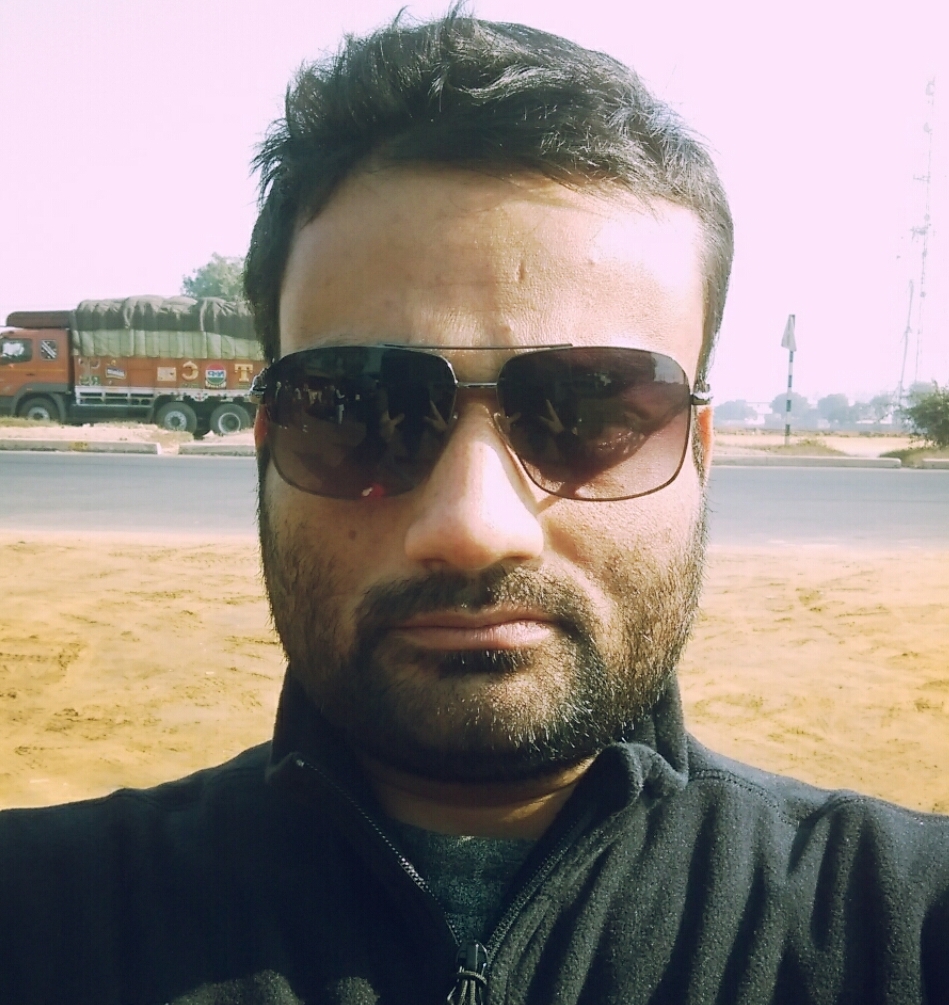

Have you ever taken an ordinary photo and wished it looked like it was captured by a professional photographer?
With modern AI image tools, you can upload an existing image and instruct the AI to transform its camera angle, shot type, lighting, clothing, location, background, composition, lens, depth of field, color grading, and overall visual style.
You don’t always need to write a huge prompt.
A powerful approach is to build your prompt using short, structured instructions such as:
/portrait /cinematic /three-quarter-angle /85mm /soft-light /luxury-outfit /hotel-lobby /shallow-DOF
This guide explains the most useful prompt keywords and combinations (AI Image Enhancement Prompts) you can use when uploading an image and asking AI to give it a more professional look.
Table of Contents
What Can AI Change in an Uploaded Image?
Depending on the AI image editor you use, you can instruct it to modify or enhance many visual elements while preserving important characteristics of the original image.
You can describe:
- Shot type
- Camera angle
- Camera position
- Lens
- Focal length
- Composition
- Lighting
- Location
- Background
- Clothing
- Hairstyle
- Accessories
- Pose
- Expression
- Depth of field
- Perspective
- Color grading
- Atmosphere
- Weather
- Time of day
- Photography style
- Cinematic style
- Editorial style
- Luxury aesthetic
- Film look
- Image quality
- Texture
- Mood
The key is to tell the AI what should change and what should remain unchanged.
For example:
/preserve-face /preserve-identity /professional-portrait /85mm /soft-light /luxury-studio /shallow-DOF
The Basic AI Image Transformation Formula – AI Image Enhancement Prompts
A useful structure is:
/SUBJECT /SHOT /ANGLE /CAMERA /LENS /LIGHTING /CLOTHING /LOCATION /BACKGROUND /COMPOSITION /MOOD /COLOR /STYLE
For example:
/woman /medium-shot /three-quarter-angle /professional-camera /85mm /soft-light /elegant-dress /luxury-hotel /blurred-background /editorial /cinematic /warm-tones
You can add or remove sections depending on the image.
Read also: AI Slash Prompts for Product Branding: The Complete Guide to /Keywords for Product Images, Ads & Campaigns
1. Identity & Preservation Prompts
When editing an uploaded photograph, you may want the person or main subject to remain recognizable.
Useful instructions include:
/preserve-identity
/preserve-face
/preserve-facial-features
/preserve-natural-features
/preserve-expression
/preserve-skin-tone
/preserve-hairstyle
/preserve-body-proportions
/natural-identity
/consistent-appearance
/realistic-transformation
/subtle-enhancement
These are especially useful when the goal is to make an existing photograph look professionally photographed rather than creating a completely different person.
Example
/preserve-identity /preserve-face /professional-portrait /cinematic /85mm /soft-light
2. Shot Type Prompts
Shot type determines how much of the subject appears in the frame.
Extreme Close-Up
/extreme-close-up
Ideal for:
- Eyes
- Makeup
- Jewelry
- Facial details
- Product details
Close-Up
/close-up
Good for professional portraits and beauty photography.
Headshot
/headshot
Excellent for:
- Professional profiles
- Corporate portraits
- Actor portfolios
Bust Shot
/bust-shot
Shows the head, shoulders and upper chest.
Medium Close-Up
/medium-close-up
A versatile portrait composition.
Medium Shot
/medium-shot
Usually frames the subject approximately from the waist or torso upward.
Three-Quarter Shot
/three-quarter-shot
Useful for fashion and lifestyle photography.
Full Body
/full-body
Useful for:
- Fashion
- Outfit photography
- Travel
- Street photography
Wide Shot
/wide-shot
Places more emphasis on the environment.
Extreme Wide Shot
/extreme-wide-shot
Useful for cinematic storytelling and dramatic landscapes.
3. Camera Angle Prompts
Changing the camera angle can dramatically change the appearance of a photograph.
Eye Level
/eye-level
Natural and realistic.
Low Angle
/low-angle
Makes the subject appear powerful, dominant or heroic.
High Angle
/high-angle
Creates a more observational or editorial perspective.
Bird’s-Eye View
/birds-eye-view
Camera positioned almost directly above the subject.
Worm’s-Eye View
/worms-eye-view
Extremely low perspective looking upward.
Three-Quarter Angle
/three-quarter-angle
One of the most useful portrait angles.
Profile
/profile-view
Shows the subject from the side.
Front Facing
/front-facing
Direct and symmetrical.
Over-the-Shoulder
/over-the-shoulder
Excellent for storytelling and cinematic scenes.
Dutch Angle
/dutch-angle
A tilted composition that creates tension or energy.
4. Camera Position
You can also describe where the camera is physically positioned.
/camera-close
/camera-distant
/camera-above
/camera-below
/camera-level
/camera-left
/camera-right
/camera-behind
/camera-forward
/camera-tracking
/camera-static
For cinematic scenes:
/low-camera-position
/high-camera-position
/ground-level-camera
/shoulder-height-camera
5. Camera & Lens Prompts
Lens selection can influence the visual character of an image.
Wide-Angle
/wide-angle
Useful for:
- Architecture
- Travel
- Environmental portraits
- Large interiors
Standard Lens
/standard-lens
Natural perspective.
Portrait Lens
/portrait-lens
Useful for flattering portraits.
50mm Look
/50mm
Natural photographic perspective.
85mm Look
/85mm
Excellent for portraits and fashion.
105mm Look
/105mm
Strong compression and portrait aesthetics.
135mm Look
/135mm
Creates strong background separation.
Telephoto
/telephoto
Useful for compressed backgrounds and distant subjects.
Macro
/macro
Ideal for:
- Jewelry
- Cosmetics
- Eyes
- Product details
- Textures
6. Depth of Field
One of the easiest ways to create a professional photography appearance is to control depth of field.
Try:
/shallow-DOF
/deep-DOF
/background-blur
/foreground-blur
/subject-isolation
/strong-bokeh
/subtle-bokeh
/creamy-bokeh
/cinematic-bokeh
/sharp-subject
/soft-background
Example
/portrait /85mm /shallow-DOF /sharp-subject /creamy-bokeh
7. Bokeh Prompts
Bokeh can create a premium photographic appearance.
/natural-bokeh
/creamy-bokeh
/cinematic-bokeh
/round-bokeh
/soft-bokeh
/background-light-bokeh
/city-bokeh
/golden-bokeh
/night-bokeh
For a cinematic night portrait:
/portrait /85mm /night-bokeh /cinematic-light /shallow-DOF
8. Lighting Prompts
Lighting is arguably one of the most important elements of professional photography.
Soft Lighting
/soft-light
/diffused-light
/wraparound-light
/window-light
Dramatic Lighting
/dramatic-light
/hard-light
/side-light
/low-key-lighting
Cinematic Lighting
/cinematic-light
/rim-light
/backlight
/volumetric-light
/practical-lighting
Natural Lighting
/natural-light
/golden-hour
/sunrise-light
/sunset-light
/overcast-light
Studio Lighting
/studio-lighting
/beauty-lighting
/key-light
/fill-light
/rim-light
/three-point-lighting
9. Lighting Direction
You can specify where the light comes from.
/front-light
/side-light
/backlight
/top-light
/bottom-light
/rim-light
/edge-light
/window-side-light
For example:
/portrait /three-quarter-angle /side-light /rim-light /85mm /cinematic
10. Time of Day
Changing the time of day can completely transform a photograph.
/sunrise
/morning
/midday
/afternoon
/golden-hour
/sunset
/blue-hour
/twilight
/night
/midnight
Example
/portrait /outdoor /golden-hour /85mm /soft-light /cinematic
11. Weather & Atmosphere
Add environmental atmosphere to create a stronger story.
/sunny
/overcast
/cloudy
/misty
/foggy
/rainy
/drizzle
/snowy
/humid
/windy
/stormy
/dusty
/hazy
/atmospheric
/moody
For a cinematic rainy portrait:
/portrait /rainy /wet-street /city-lights /rim-light /cinematic /85mm
12. Location Prompts
The location is one of the easiest elements to replace.
Urban
/city
/downtown
/street
/rooftop
/alley
/urban
/modern-city
Luxury
/luxury-hotel
/penthouse
/luxury-interior
/designer-lounge
/modern-villa
/luxury-restaurant
Nature
/forest
/mountains
/beach
/lake
/waterfall
/garden
/botanical-garden
/countryside
Travel
/old-city
/european-street
/tropical-island
/desert
/coastal-town
/historic-city
13. Background Prompts
The background can be:
Minimal
/minimal-background
/clean-background
/plain-background
/seamless-background
/studio-background
Luxury
/marble-background
/luxury-interior
/velvet-background
/designer-interior
/elegant-background
Cinematic
/cinematic-background
/atmospheric-background
/blurred-background
/moody-background
/dramatic-background
Environmental
/urban-background
/nature-background
/mountain-background
/beach-background
/architectural-background
14. Clothing & Fashion Prompts
AI can also be instructed to change or refine clothing.
Formal
/formal-wear
/business-suit
/tailored-suit
/dress-shirt
/professional-attire
Fashion
/fashion-editorial
/high-fashion
/designer-look
/runway-inspired
/luxury-fashion
/couture
Casual
/casual-wear
/smart-casual
/streetwear
/minimal-casual
Traditional
/traditional-wear
/ethnic-wear
/saree
/kurta
/formal-traditional
Luxury
/luxury-outfit
/elegant-dress
/premium-fabric
/silk
/velvet
/tailored
15. Hair & Grooming
For portrait transformations:
/professional-hairstyle
/editorial-hairstyle
/sleek-hair
/soft-waves
/natural-hair
/voluminous-hair
/neat-hair
/wind-swept-hair
/natural-grooming
/professional-grooming
/editorial-grooming
/subtle-makeup
/professional-makeup
/beauty-makeup
16. Pose Prompts
A professional image isn’t only about the camera.
Try:
/natural-pose
/confident-pose
/relaxed-pose
/editorial-pose
/fashion-pose
/walking-pose
/standing-pose
/seated-pose
/leaning-pose
/dynamic-pose
/candid-pose
/hero-pose
/three-quarter-pose
/over-shoulder-pose
17. Expression Prompts
For portraits:
/natural-expression
/subtle-smile
/confident-expression
/serene-expression
/thoughtful-expression
/joyful-expression
/serious-expression
/mysterious-expression
/editorial-expression
/candid-expression
Avoid over-specifying expressions when you want the uploaded person’s natural identity and appearance preserved.
18. Composition Prompts
Composition controls how the visual elements are arranged.
/centered-composition
/symmetrical-composition
/asymmetrical-composition
/rule-of-thirds
/negative-space
/leading-lines
/foreground-elements
/layered-composition
/balanced-composition
/minimal-composition
/dynamic-composition
/editorial-composition
Example
/fashion /three-quarter-shot /rule-of-thirds /negative-space /editorial
19. Professional Photography Styles
Try:
/professional-photography
/portrait-photography
/fashion-photography
/editorial-photography
/beauty-photography
/commercial-photography
/studio-photography
/lifestyle-photography
/street-photography
/travel-photography
/documentary-photography
/fine-art-photography
/magazine-photography
20. Cinematic Keywords
For a movie-like appearance:
/cinematic
/cinematic-frame
/cinematic-composition
/cinematic-lighting
/cinematic-color
/film-still
/movie-still
/epic
/dramatic
/atmospheric
/storytelling
/visual-story
/film-look
/anamorphic-look
/cinematic-depth
/dramatic-contrast
21. Film & Color Grading
Color grading can change the emotional tone of an image.
Warm
/warm-tones
/golden-tones
/sun-kissed
/warm-color-grade
Cool
/cool-tones
/blue-tones
/cool-color-grade
Cinematic
/cinematic-color-grade
/film-color-grade
/muted-colors
/rich-colors
/teal-orange
/desaturated
/high-contrast
/soft-contrast
Luxury
/neutral-tones
/earth-tones
/deep-blacks
/rich-golds
/elegant-color-palette
22. Texture & Image Quality
For realistic results:
/photorealistic
/high-detail
/fine-detail
/natural-texture
/realistic-skin
/natural-skin-texture
/fabric-detail
/realistic-materials
/subtle-imperfections
/professional-retouching
/high-resolution
/sharp-details
/clean-image
Avoid relying only on words such as /8K or /ultra-HD. Describing what should actually look detailed is often more useful than simply adding a resolution label.
23. Skin & Portrait Retouching
For a professional but natural portrait:
/natural-skin
/realistic-skin-texture
/subtle-retouching
/professional-retouching
/soft-skin
/natural-pores
/balanced-skin-tone
/realistic-highlights
/natural-shadows
The goal should usually be polished but believable, rather than completely removing natural skin texture.
24. Camera Motion & Dynamic Photography
For action-oriented images:
/motion-blur
/freeze-frame
/tracking-shot
/dynamic-camera
/panning-shot
/action-photography
/dynamic-composition
/motion
/movement
/speed
Example
/car /tracking-shot /motion-blur /wet-road /city-lights /cinematic
25. Reflection & Atmospheric Effects
These can make ordinary images look more visually sophisticated.
/glass-reflection
/mirror-reflection
/water-reflection
/wet-surface
/lens-flare
/light-leaks
/light-rays
/volumetric-light
/dust-particles
/mist
/fog
/rain-drops
/atmospheric-haze
Use these carefully. Too many effects can make an image look artificial.
26. Editorial & Magazine Look
For a fashion-magazine aesthetic:
/editorial
/fashion-editorial
/magazine-cover
/high-fashion
/luxury-editorial
/minimal-editorial
/beauty-editorial
/professional-styling
/studio-editorial
/premium-fashion
Example
/portrait /fashion-editorial /three-quarter-angle /85mm /soft-light /luxury-outfit /minimal-background
27. Social Media Photography
For Instagram or other social platforms:
/social-media
/instagram-style
/creator-photo
/influencer-style
/lifestyle-content
/premium-social-content
/viral-aesthetic
/clean-aesthetic
/fashion-content
/travel-content
The important thing is to also specify the desired aspect ratio when supported by your image tool:
/vertical /9:16
or
/square /1:1
or
/landscape /16:9
28. Professional Profile Photos
For LinkedIn, resumes, websites and business profiles:
/professional-headshot
/corporate-portrait
/executive-portrait
/clean-background
/studio-lighting
/neutral-expression
/professional-attire
/natural-skin
/sharp-focus
/85mm
Example:
/professional-headshot /preserve-identity /business-suit /neutral-background /studio-lighting /85mm /natural-skin /sharp-focus
29. Travel Photography
Transform an ordinary travel photo into an editorial travel photograph.
/travel-editorial
/cinematic-travel
/golden-hour
/environmental-portrait
/landscape
/dramatic-sky
/natural-light
/wide-angle
/atmospheric
Example:
/travel-editorial /environmental-portrait /mountains /golden-hour /wide-angle /cinematic /natural-light
30. Product Photography
The same system works for products.
/product-hero
/commercial-product
/studio-product
/luxury-product
/macro-product
/advertising-shot
/premium-brand
/minimal-background
/soft-light
/rim-light
/reflection
Example:
/perfume /product-hero /luxury /marble /rim-light /85mm /shallow-DOF /commercial
31. The Ultimate Professional Image Formula
When you want to transform an uploaded image, try this structure:
/preserve-identity /shot-type /camera-angle /camera /lens /lighting /pose /clothing /location /background /composition /DOF /color-grade /mood /photography-style
For example:
/preserve-identity /medium-shot /three-quarter-angle /professional-camera /85mm /soft-light /confident-pose /elegant-dress /luxury-hotel /blurred-background /rule-of-thirds /shallow-DOF /warm-color-grade /sophisticated /fashion-editorial
32. Cinematic Portrait Formula
/preserve-identity /portrait /three-quarter-angle /85mm /cinematic-light /rim-light /natural-pose /elegant-outfit /luxury-interior /soft-background /shallow-DOF /warm-color-grade /film-look
33. Professional Corporate Portrait Formula
/preserve-identity /headshot /eye-level /85mm /studio-lighting /professional-attire /clean-background /sharp-focus /natural-skin /neutral-color-grade /corporate-photography
34. Luxury Fashion Formula
/preserve-identity /full-body /low-angle /85mm /dramatic-light /high-fashion /luxury-outfit /modern-architecture /editorial-background /dynamic-composition /shallow-DOF /cinematic-color /fashion-editorial
35. Cinematic Street Photography Formula
/preserve-identity /three-quarter-shot /eye-level /50mm /backlight /casual-outfit /urban-street /city-lights /wet-road /background-bokeh /cinematic-color /film-look
36. Golden-Hour Travel Formula
/preserve-identity /full-body /wide-shot /35mm /golden-hour /natural-pose /casual-outfit /mountains /dramatic-sky /environmental-composition /warm-tones /travel-editorial
37. Night City Formula
/preserve-identity /medium-shot /low-angle /85mm /neon-light /rim-light /stylish-outfit /city-at-night /city-bokeh /cinematic-composition /shallow-DOF /cool-tones /film-look
38. Before & After Transformation Prompt
If you want the AI to improve an uploaded image without changing its basic identity:
/preserve-identity /preserve-face /preserve-natural-features /professional-photography /improved-composition /better-lighting /natural-skin /realistic-texture /shallow-DOF /cinematic-color-grade /premium-editorial-look
This tells the AI that the objective is professional enhancement, not complete replacement.
39. How to Get Better Results
Don’t throw every keyword into one prompt.
Instead, think in layers.
Layer 1 — Subject
What are you editing?
/portrait
/product
/car
/fashion
Layer 2 — Shot
How should it be photographed?
/close-up
/medium-shot
/full-body
Layer 3 — Camera
How should the camera see it?
/three-quarter-angle
/85mm
/eye-level
Layer 4 — Lighting
How should it be illuminated?
/soft-light
/rim-light
/golden-hour
Layer 5 — Environment
Where should it be?
/luxury-hotel
/urban
/beach
Layer 6 — Style
What should it feel like?
/cinematic
/editorial
/luxury
Layer 7 — Finish
How should the final image look?
/natural-skin
/shallow-DOF
/film-color-grade
This modular approach gives you much more control.
40. Don’t Forget What NOT to Change
One of the most important parts of an image-editing prompt is explaining what should remain unchanged.
For example:
/preserve-identity
/preserve-face
/preserve-body-proportions
/preserve-expression
/preserve-product-design
/preserve-logo
/preserve-branding
/preserve-natural-details
This is particularly important when editing:
- Personal photographs
- Product photographs
- Brand images
- Professional headshots
- Fashion images
41. A Complete Example
Suppose you upload an ordinary portrait and want it to look like a professional fashion campaign.
You could use:
/preserve-identity /preserve-face /fashion-editorial /three-quarter-shot /three-quarter-angle /85mm /soft-key-light /rim-light /elegant-outfit /luxury-hotel /architectural-background /shallow-DOF /natural-skin /warm-color-grade /cinematic /premium-photography
Instead of saying:
Make this photo look better.
You’re giving the AI a visual direction.
42. The Ultimate Copy-Paste Template
Save this template and customize the sections:
/preserve-identity /SUBJECT /SHOT-TYPE /CAMERA-ANGLE /CAMERA /LENS /LIGHTING /POSE /CLOTHING /LOCATION /BACKGROUND /COMPOSITION /DEPTH-OF-FIELD /COLOR-GRADE /MOOD /PHOTOGRAPHY-STYLE /FINAL-LOOK
For example:
/preserve-identity /portrait /medium-shot /three-quarter-angle /professional-camera /85mm /soft-light /natural-pose /elegant-outfit /luxury-hotel /blurred-background /rule-of-thirds /shallow-DOF /warm-color-grade /sophisticated /fashion-editorial /photorealistic
Final Thoughts
The biggest mistake people make with AI image editing is trying to describe everything in one long paragraph.
A better approach is to think like a photographer and art director.
Ask:
What is the subject?
What shot do I want?
Where is the camera?
Which lens should it resemble?
How should the light fall?
What is the subject wearing?
Where is the scene?
What should the background look like?
What mood should the image communicate?
Should it look cinematic, editorial, commercial, luxury or natural?
Then turn those decisions into compact prompt blocks (AI Image Enhancement Prompts):
/subject /shot /angle /lens /lighting /clothing /location /background /composition /style
Once you understand this system, you can transform the same uploaded image into a professional headshot, fashion editorial, cinematic portrait, luxury campaign, travel photograph, social-media creative, product advertisement or magazine-style photograph simply by changing the visual blocks.
The / is not the magic by itself.
The real power comes from creating a structured visual language that tells the AI exactly what kind of photograph you want.